Support
Find answers to common questions about Bible Solace
General
What is Bible Solace?
Bible Solace is a mobile Bible app that offers daily personalized verses, a full Bible reader with two viewing modes, AI-powered verse explanations, daily emotional check-ins, reading plans, and audio narration — all designed to make Scripture a meaningful part of your daily routine.
Is Bible Solace free to use?
Yes! Bible Solace has a free tier that includes access to the Bible reader in both Reels and Text mode (with a daily swipe limit in Reels mode), one AI explanation per day, and the daily inspiration verse. A Premium subscription unlocks unlimited access to all features.
What platforms is Bible Solace available on?
Bible Solace is available on iOS and Android.
Getting Started
What happens when I first open the app?
You'll go through a short setup where you select your faith background, choose a Bible translation, optionally pick your life stage, and decide whether to allow daily notifications. You'll also do your first emotional check-in and receive a personalized verse.
Can I skip parts of the setup?
Yes, certain steps like the life stage selection can be skipped. You can also redo the setup later from Settings.
How do I change my initial choices later?
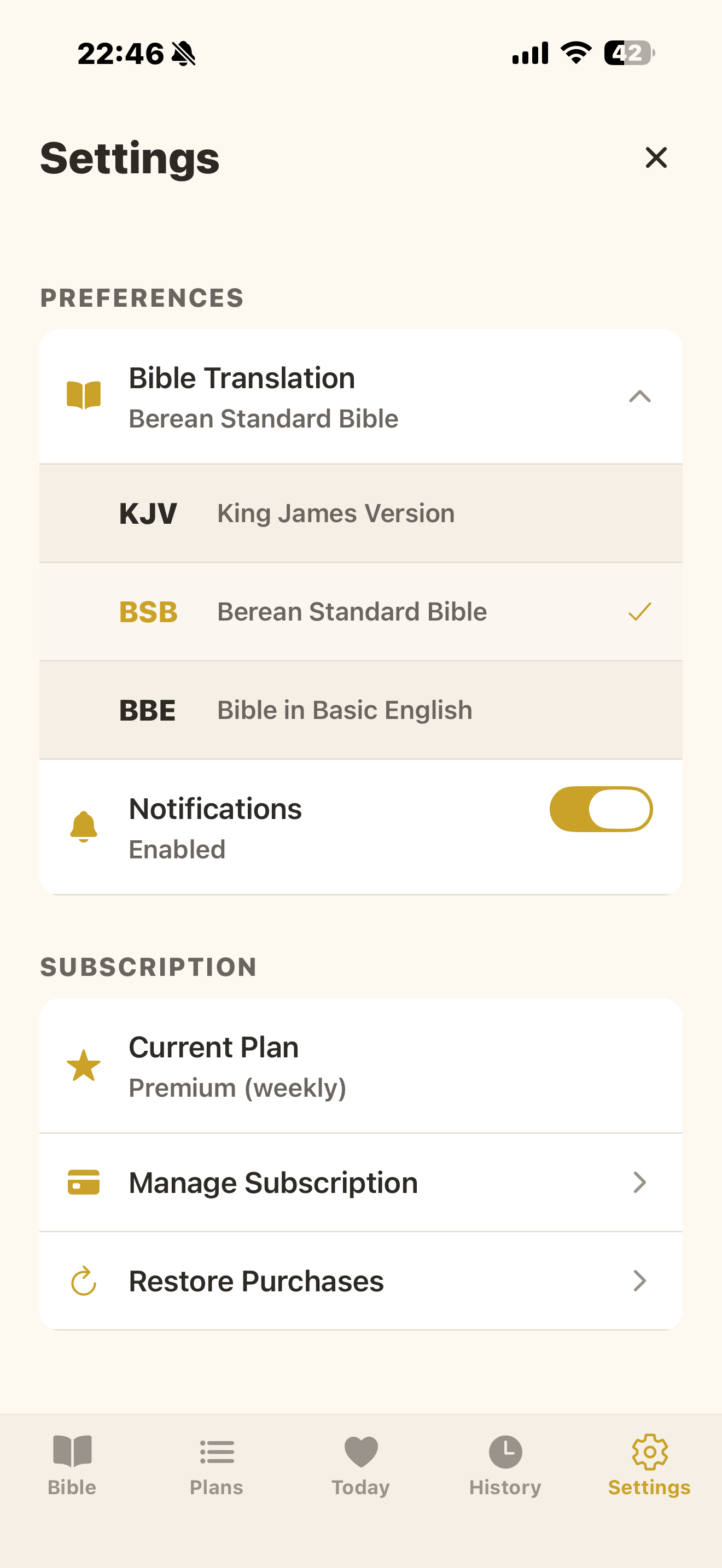
Go to the Settings tab. From there you can change your Bible translation, toggle notifications, or redo the entire setup.
Bible Reader
What are the two reading modes?
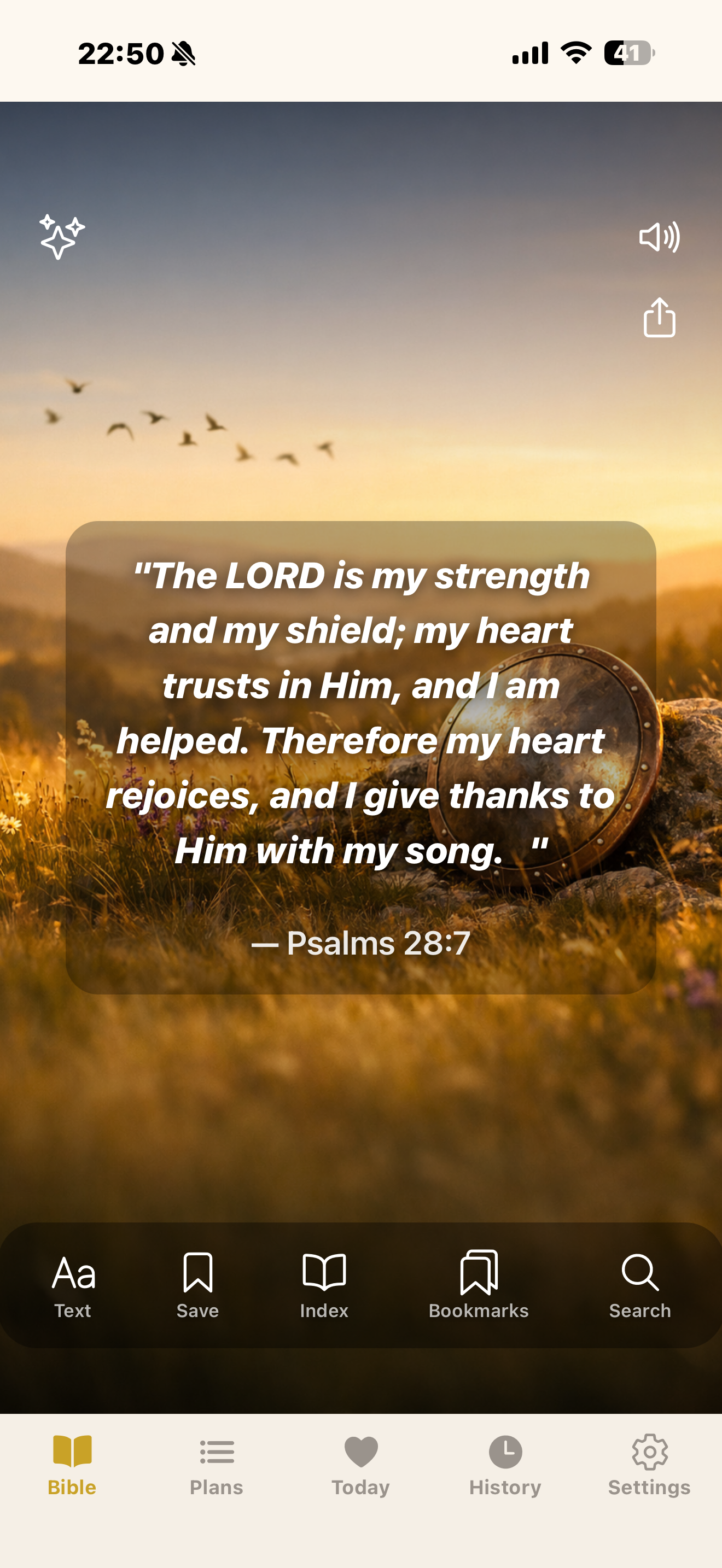
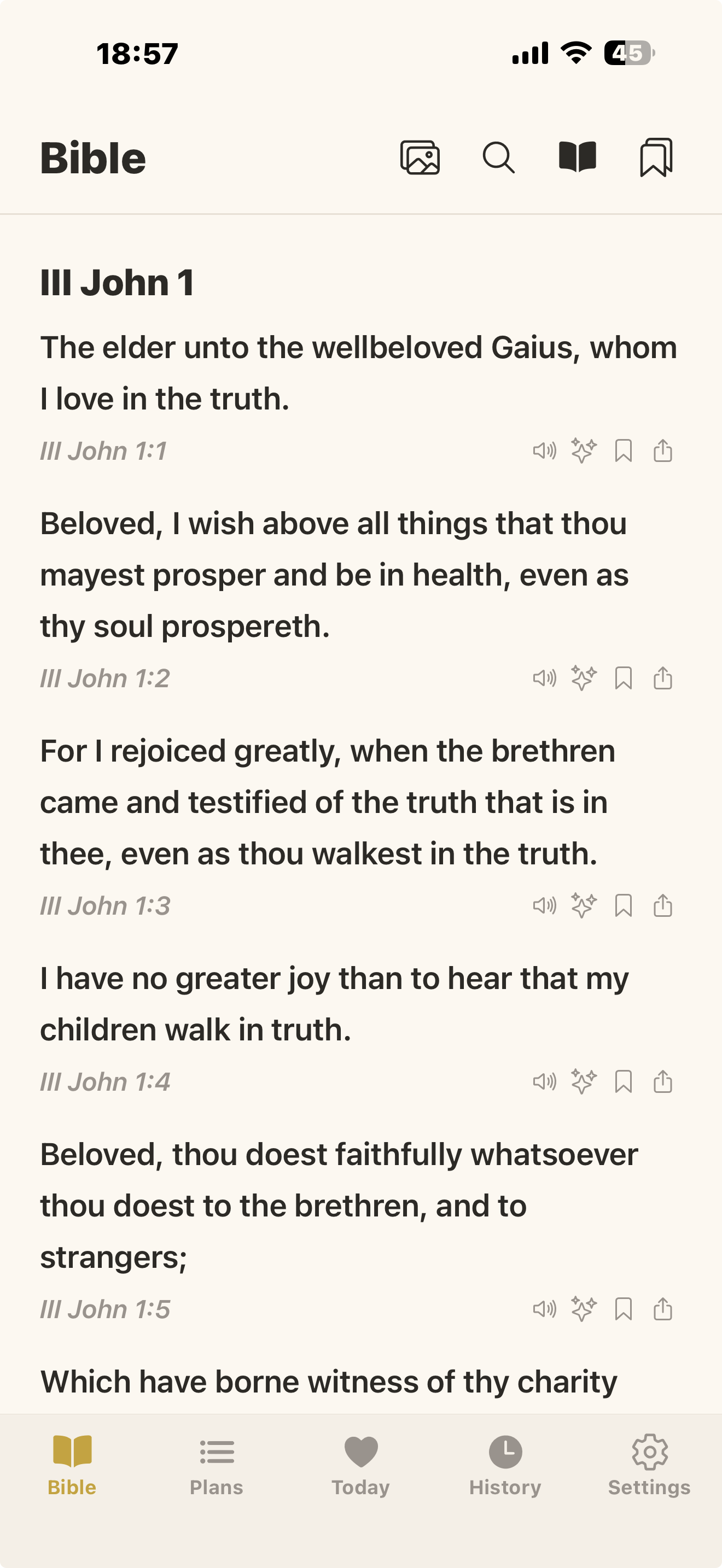
Reels mode displays verses as full-screen vertical cards you swipe through, similar to social media stories. Text mode shows verses in a traditional chapter-style list. You can switch between them using the toggle at the top of the Bible tab.
What is the daily swipe limit in Reels mode?
Free users can view up to 10 new verses per day in Reels mode. Once the limit is reached, you'll be prompted to upgrade or use the Bible Index to navigate. Text mode has no such limit.
How do I navigate to a specific book, chapter, or verse?
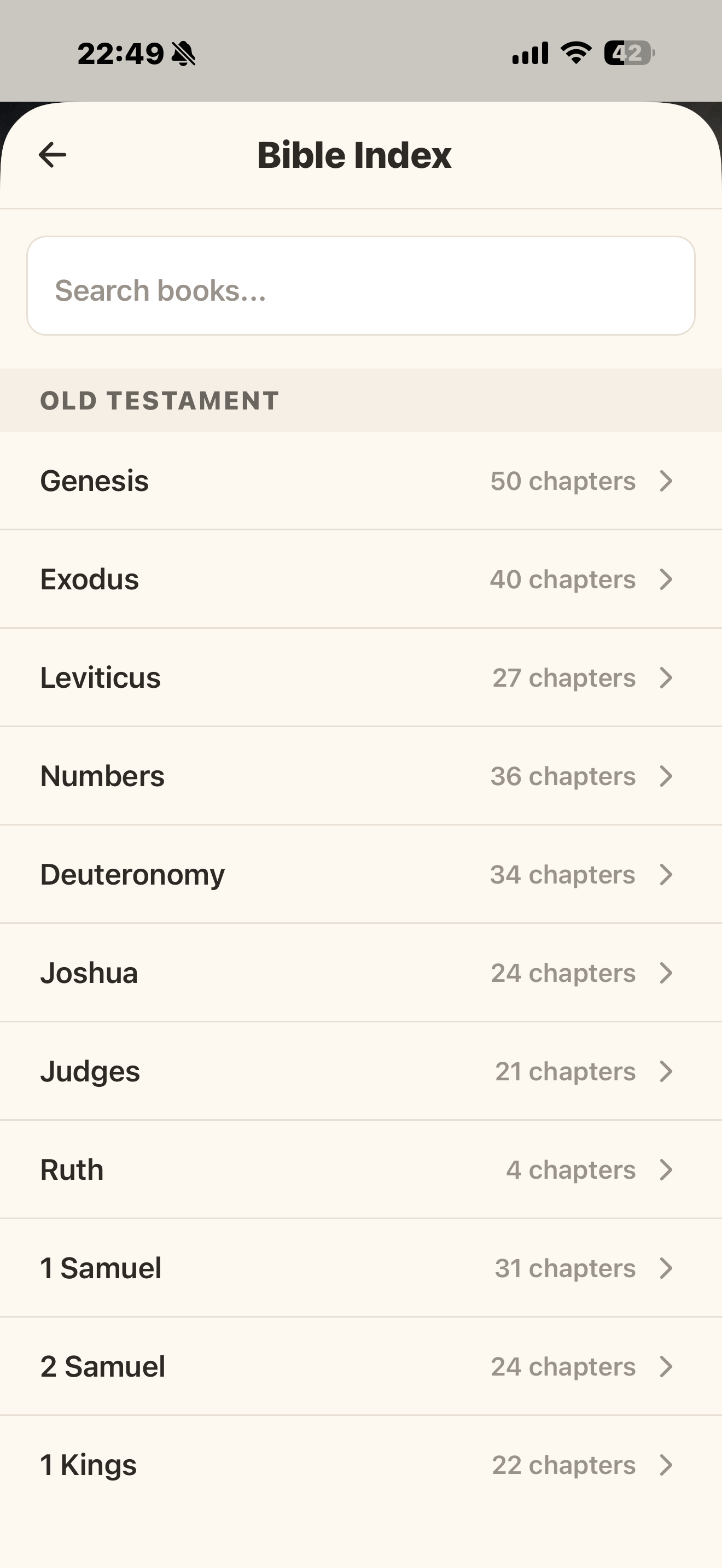
Tap the Index icon to open the Bible Index. You can browse Old and New Testament books, search by book name, then drill down to a specific chapter and verse.
Can I search for a verse or passage?
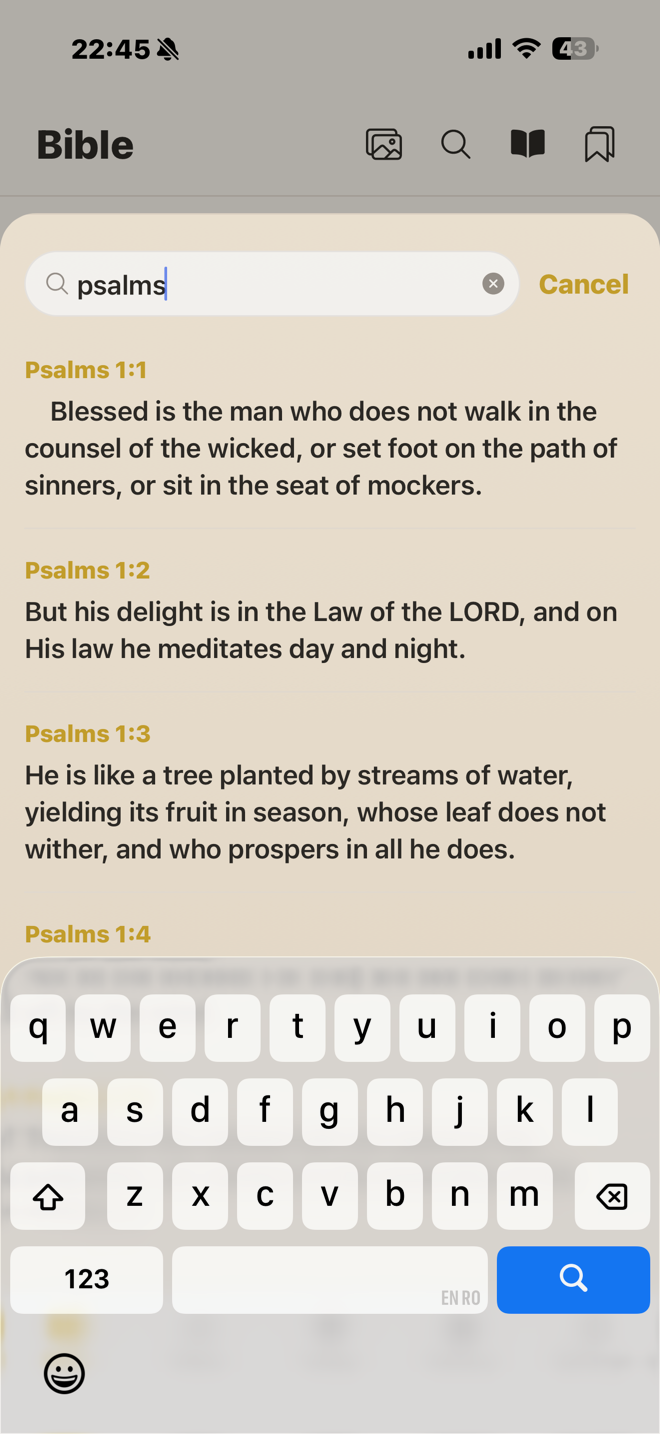
Yes. Tap the Search icon in the Bible tab to open the search overlay. Type at least 3 characters and you'll see up to 30 matching results. Tap any result to jump directly to that verse.
Does the Bible work offline?
Yes. When you select a translation, its database is downloaded to your device. Bible reading and search will work offline using the local database. Some features like AI explanations still require an internet connection.
Daily Inspiration & Check-In
What is the "Today" tab?
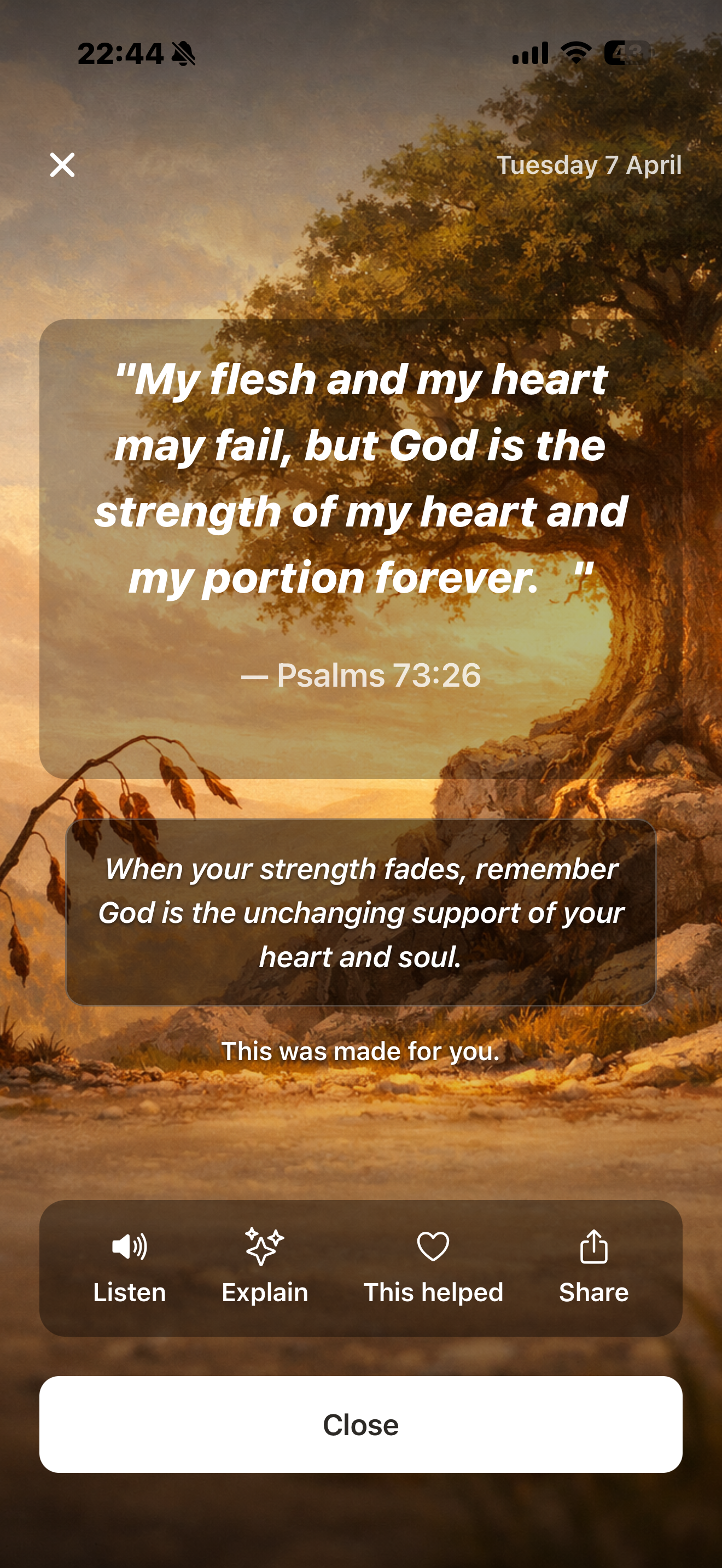
The Today tab shows your daily inspiration — a verse with an optional image and an inspirational quote, refreshed each day for your selected translation.
What is the Daily Check-In?
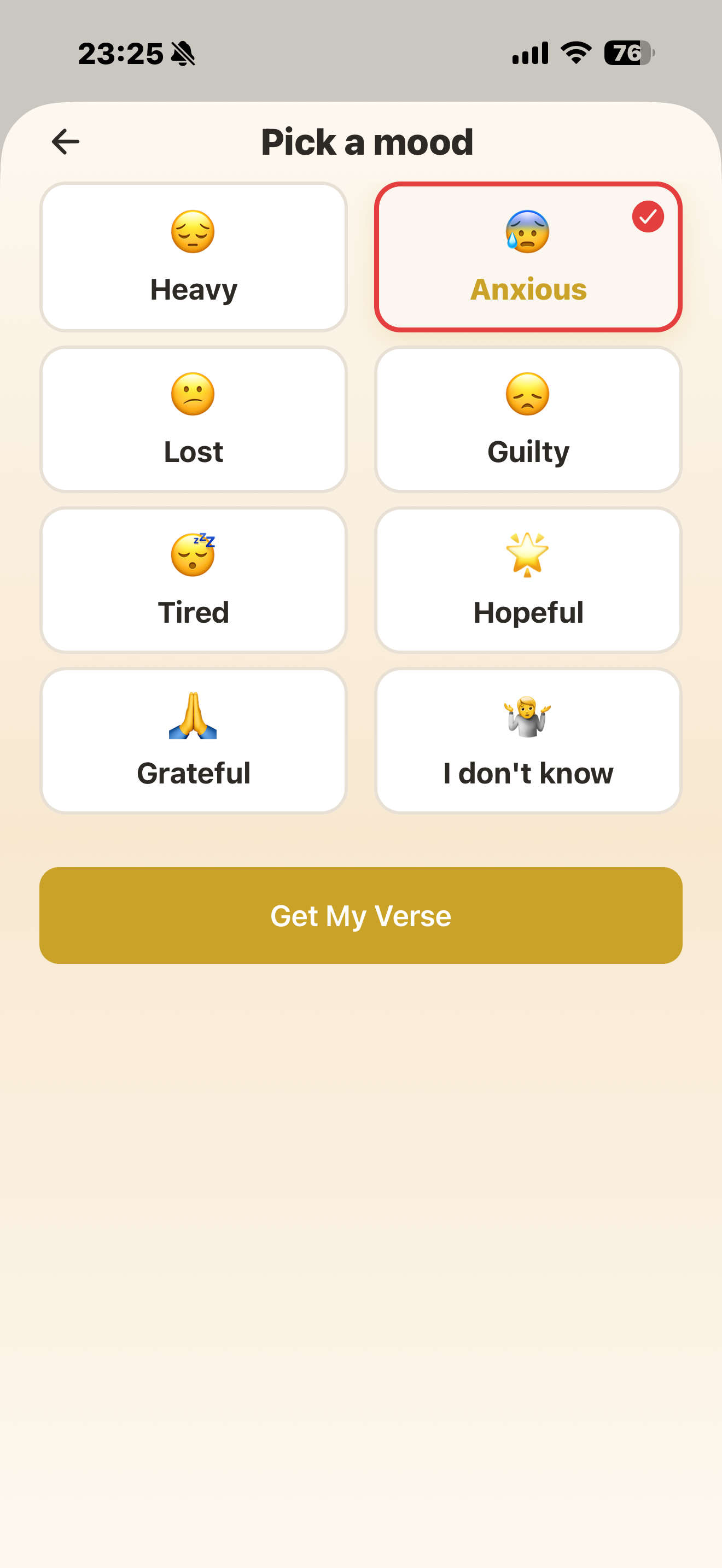
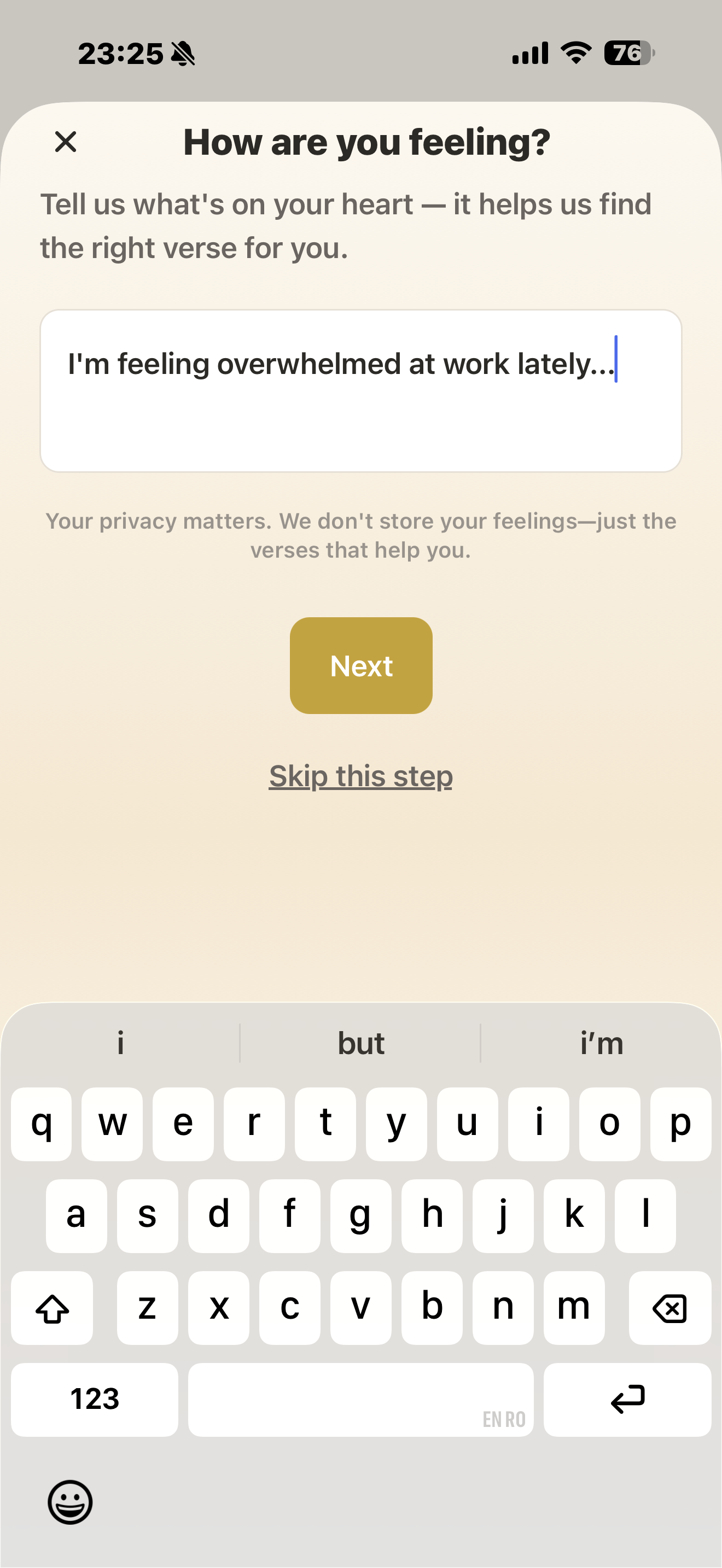
The Daily Check-In is a Premium feature that lets you share how you're feeling by selecting mood cards and optionally writing a short note. Based on your input, the app provides a personalized Bible verse tailored to your emotional state.
AI Explain
What does the "Explain" feature do?
Tapping Explain on any verse sends it to an AI that provides a clear, easy-to-understand explanation of the passage, including cross-references you can tap to navigate to related verses.
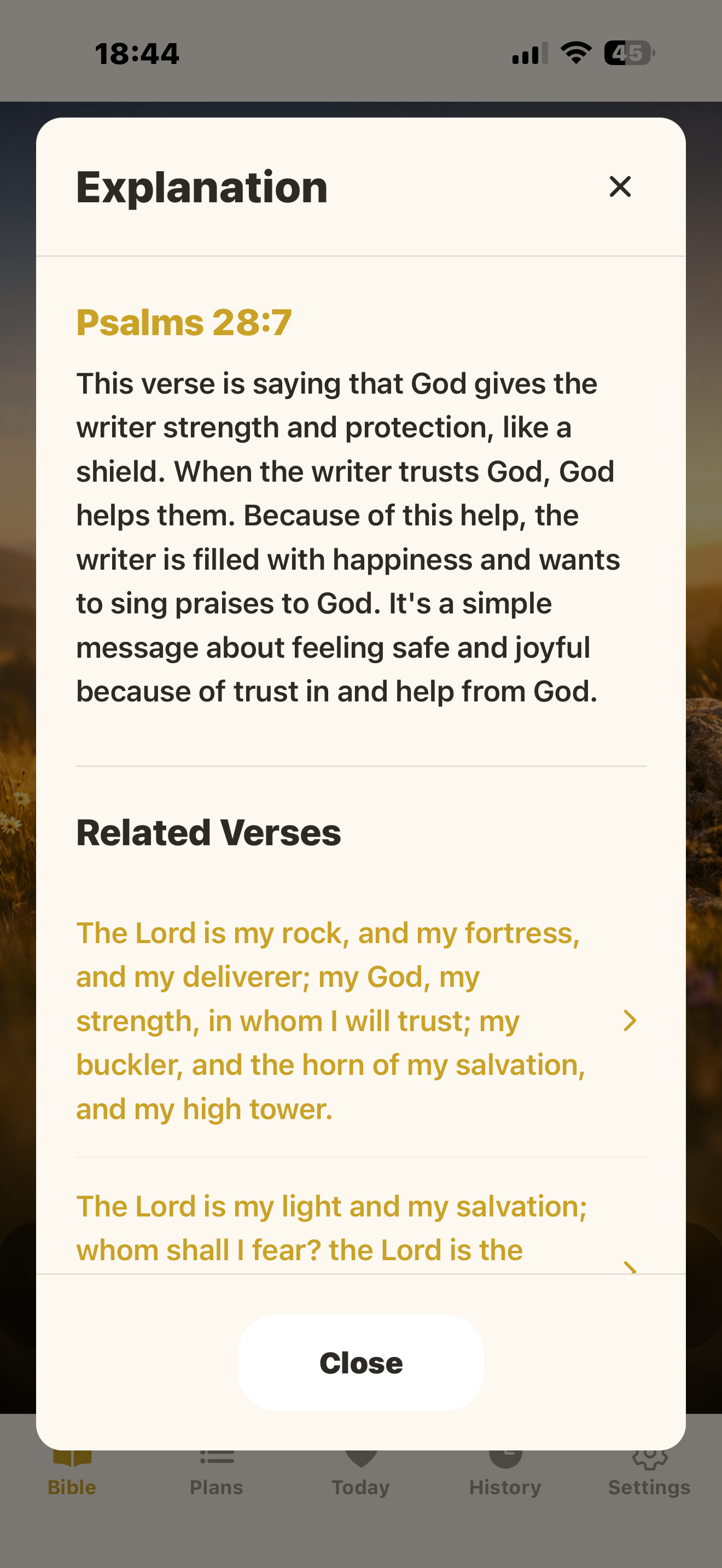
How many explanations can I get for free?
Free users get 1 AI explanation per day. Premium subscribers have unlimited access.
Is the AI explanation always accurate?
The first time you use Explain, the app shows a disclaimer that AI-generated explanations may not be perfect. They're meant to assist your understanding but shouldn't replace careful study or pastoral guidance.
Audio / Listen
Can I listen to verses being read aloud?
Yes. Tap the Listen icon on any verse card or list item. The app will try to play a server-hosted audio narration first; if unavailable, it falls back to your device's text-to-speech.
Bookmarks
How do I bookmark a verse?
Tap the Save/Bookmark icon on a verse in Reels or Text mode. Bookmarking is a Premium feature.
Where can I find my saved bookmarks?
Tap the Bookmarks icon in the Bible tab header to see your full list. Tapping a bookmark jumps you to that verse in the reader.
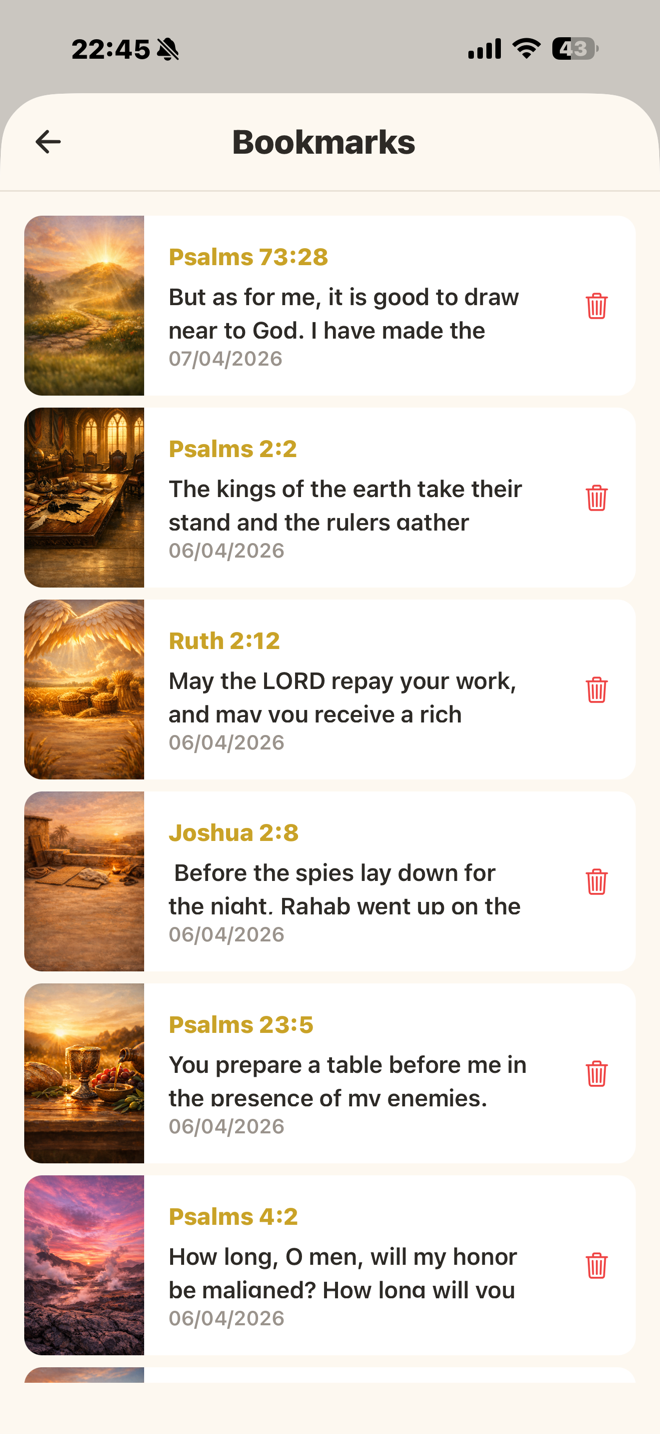
Do bookmarks work offline?
Yes. If you add or remove bookmarks while offline, they are queued locally and automatically synced to the server when your connection is restored.
Reading Plans
What are Reading Plans?
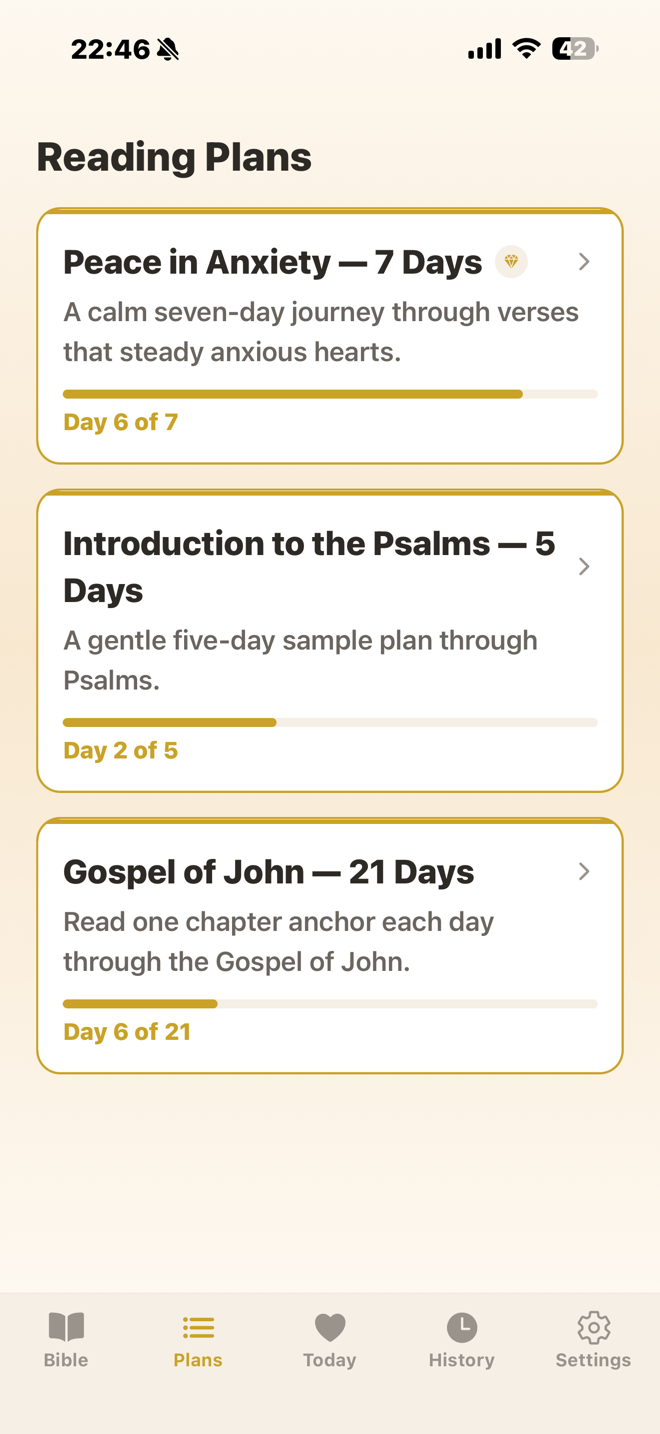
Reading Plans are curated multi-day journeys through Scripture. Each plan has a series of daily readings you complete one at a time.
Are all plans free?
Some plans are free and some are Premium-only, indicated by a Premium badge in the catalog.
How do I track my progress?
Your active plans show a progress bar on the Plans tab. Inside a plan, each day is marked as completed, current, or upcoming.
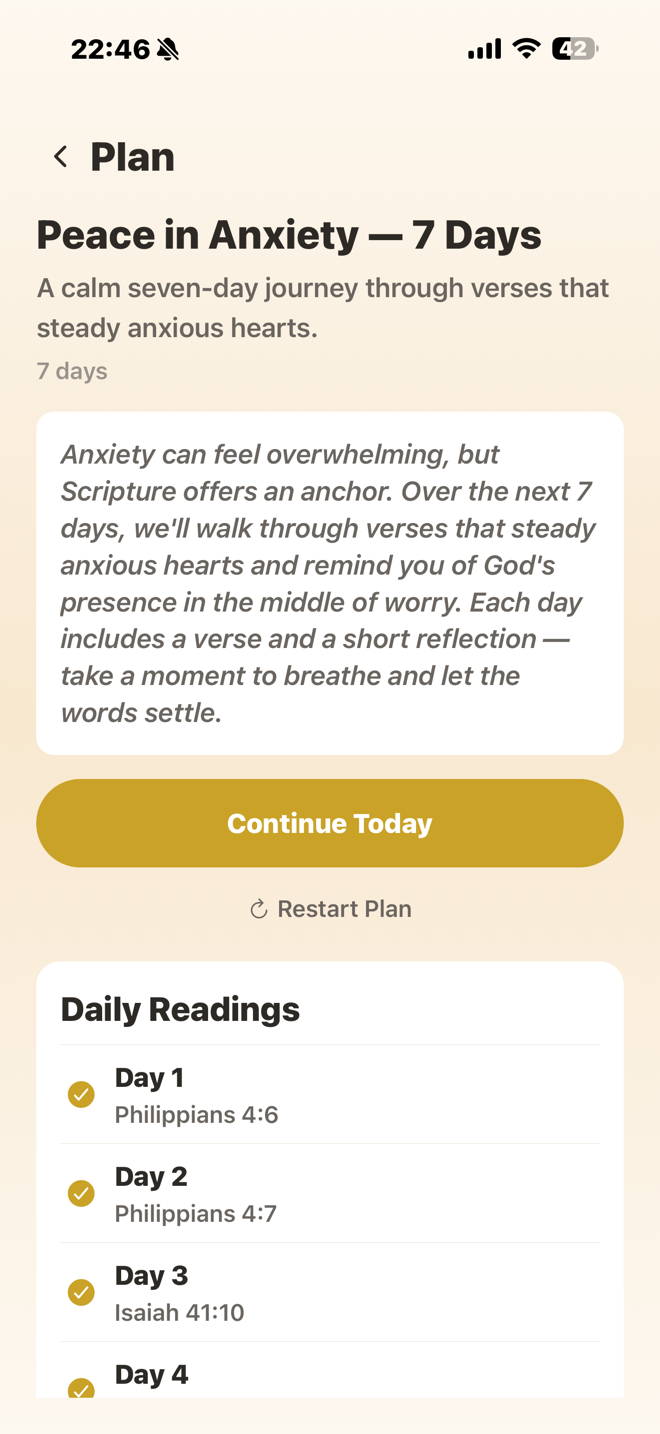
Can I restart a plan?
Yes. Open the plan detail and tap Restart. You'll be asked to confirm since this resets all your progress.
History
What is the History tab?
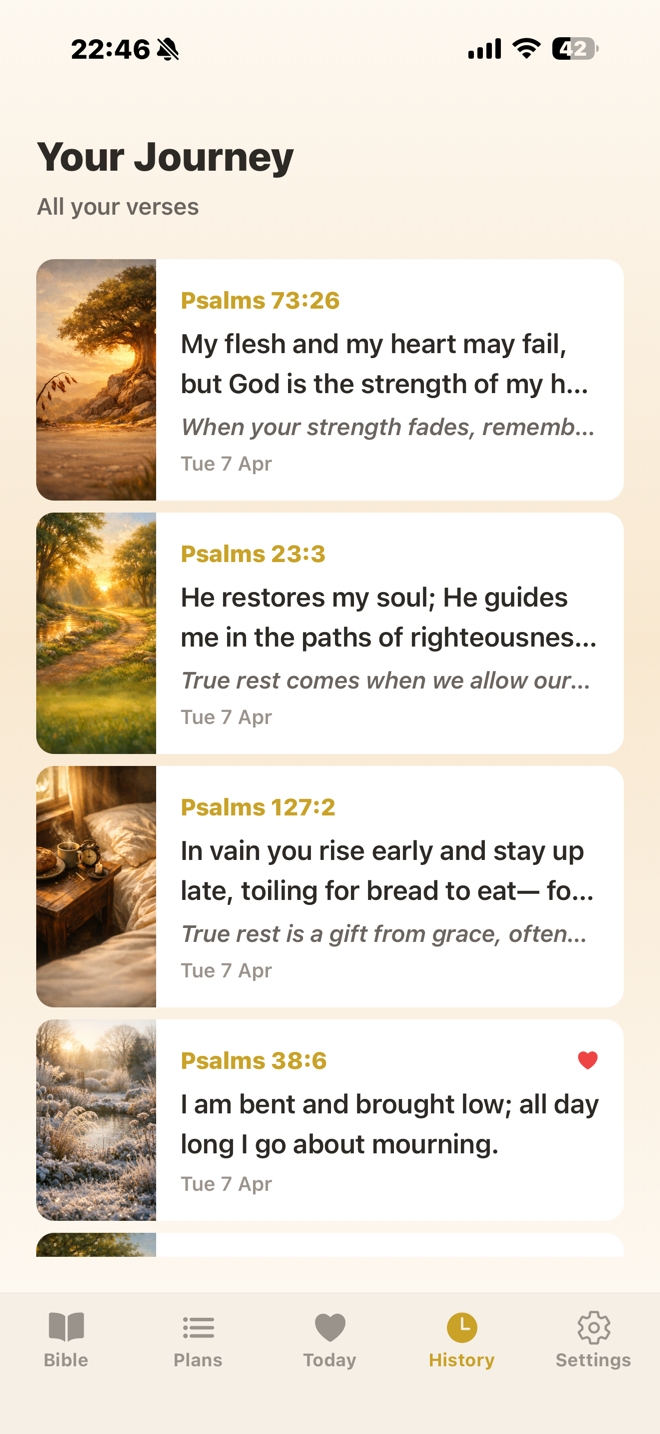
History shows a chronological timeline of all the personalized verses you've received from your check-ins. It's a Premium feature — tap any entry to revisit the full verse detail with its image.
Notifications
What notifications will I receive?
If you allow notifications, you'll receive a daily verse around 8 AM. Tapping a notification opens the verse detail directly in the app. Plan-related notifications link to the corresponding plan.
How do I turn notifications on or off?
Go to Settings and toggle the Notifications option.
Translations
Can I change my Bible translation?
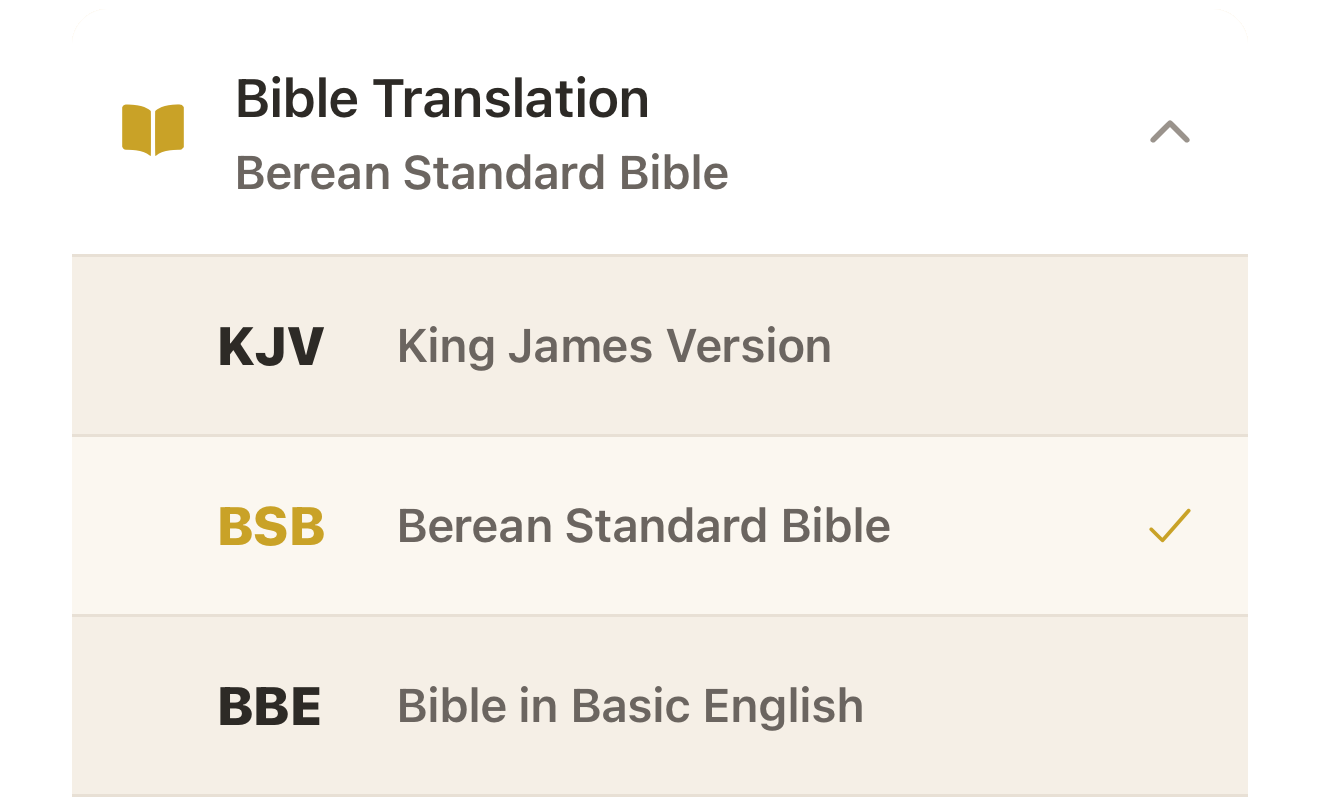
Yes, go to Settings and select a new translation from the list. Changing translations is a Premium feature. The app comes bundled with KJV, BSB, and BBE; additional translations are downloaded on demand.
Will I see download progress when switching translations?
Yes. A progress modal shows the download status while the new translation database is being fetched.
Subscription & Account
What does Premium include?
Premium unlocks unlimited Reels swiping, unlimited AI explanations, daily check-ins with personalized verses, bookmarks, full history, verse images, additional Bible translations, and access to all reading plans.
How do I upgrade to Premium?
Tap Upgrade in Settings or when prompted by any Premium-gated feature. You can choose between weekly and yearly plans with an optional free trial.
How do I restore a previous purchase?
Go to Settings and tap Restore under the Subscription section. The app uses your App Store or Play Store account to verify your subscription.
Do you support promo codes?
Yes. Go to Settings and tap Redeem Promo Code, then enter your code.
How do I manage or cancel my subscription?
Tap Manage in Settings — it will redirect you to your App Store or Google Play subscription management page.
How do I delete my account?
Go to Settings and tap Delete Account. This permanently removes your data from the server and resets the app to a fresh state.
Troubleshooting
What happens if I lose my internet connection?
Bible reading and search continue to work offline using your downloaded translation. Features that require the server (check-in, AI explain, plans, history) will show a network error with a retry option. Pending bookmark changes sync automatically when you're back online.
How do I replay the app tour?
Go to Settings and tap "Replay app tour" to see the coach marks again on the Bible reading modes.
How do I share a verse?
Tap the Share icon on any verse — in Reels mode, Text mode, or the Verse Detail screen — to open your device's native share sheet.
Still need help?
If you couldn't find the answer you were looking for, feel free to reach out. We're happy to help.
Email Us